> ## Documentation Index
> Fetch the complete documentation index at: https://docs.postiz.com/llms.txt
> Use this file to discover all available pages before exploring further.
# The AI agent
> Chat your way to a scheduled post
**Where:** the Agent section
**Availability:** Postiz Cloud, Standard plan and above. Self-hosted installs
need AI keys configured on the instance.
The agent is a chat that can operate Postiz for you. Rather than opening the
composer and filling it in, you describe what you want.
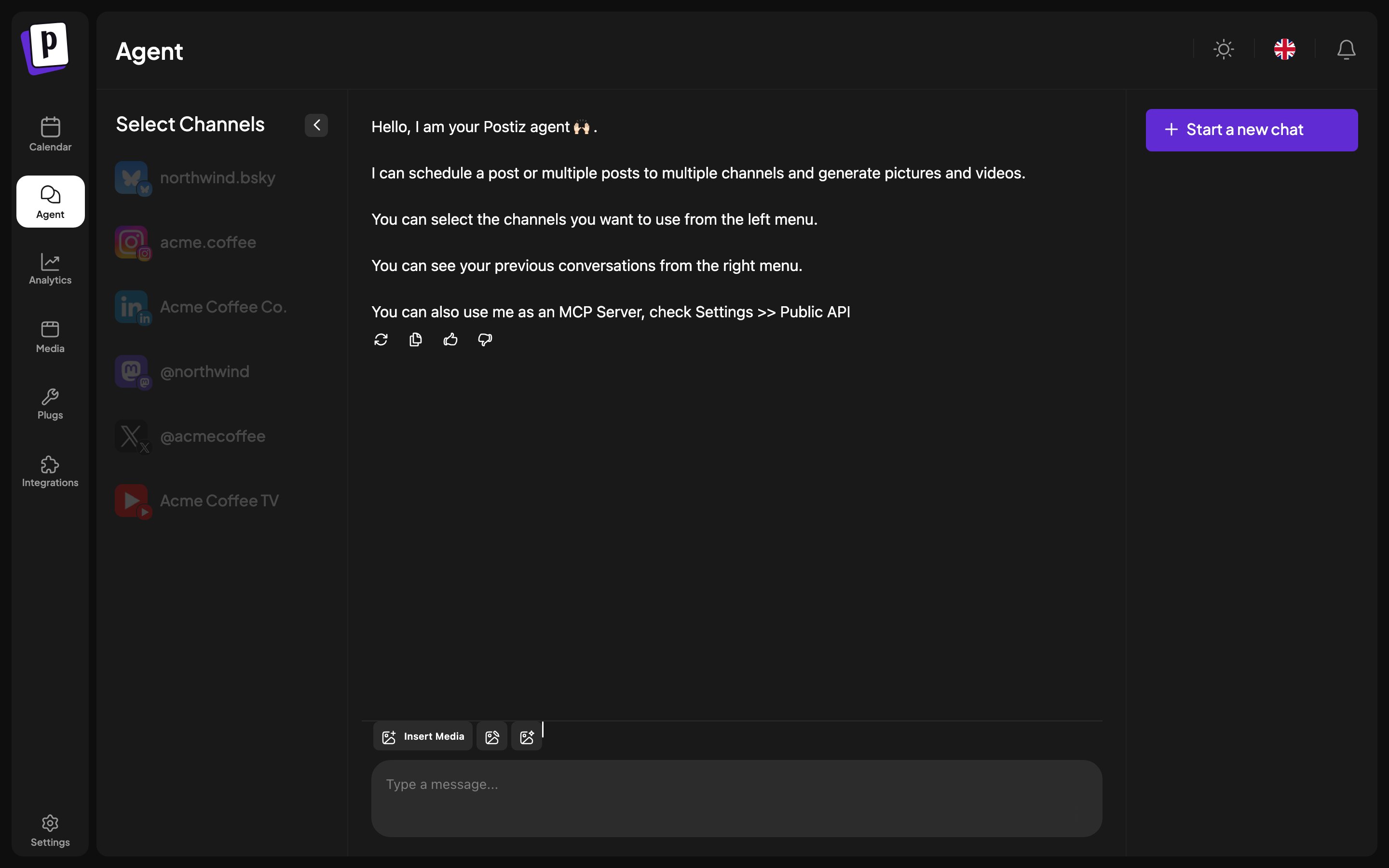 ## The layout
* **Left:** which channels the agent may act on.
* **Centre:** the conversation.
* **Right:** your previous conversations, plus **Start a new chat**.
## What it can do
* Schedule a post to one channel or several.
* Generate images and video for a post.
* Open the composer prefilled, so you can review and adjust before saving.
You can attach media to the conversation, so "post this image on Thursday
morning with a caption about X" works as one message.
## Working with it
Select the channels first. The agent acts on what is selected, so a narrow
selection is a useful guardrail while you are learning what it does.
Ask it to draft rather than publish while you are getting a feel for it. A
draft lands on the calendar where you can inspect it, and nothing reaches an
audience until you promote it.
Conversations are kept, so you can return to one and continue rather than
re-explaining context.
## What it cannot do
* Read or reply to comments on your posts.
* Connect a channel for you.
* Change billing or settings.
## The agent versus MCP
The agent is Postiz's own chat, using Postiz's model. If you would rather drive
Postiz from a client you already use, Claude, Cursor, ChatGPT and others,
connect through [MCP](/mcp/introduction) instead. Same capabilities, your
choice of model, and it works alongside whatever else that client can do.
## The layout
* **Left:** which channels the agent may act on.
* **Centre:** the conversation.
* **Right:** your previous conversations, plus **Start a new chat**.
## What it can do
* Schedule a post to one channel or several.
* Generate images and video for a post.
* Open the composer prefilled, so you can review and adjust before saving.
You can attach media to the conversation, so "post this image on Thursday
morning with a caption about X" works as one message.
## Working with it
Select the channels first. The agent acts on what is selected, so a narrow
selection is a useful guardrail while you are learning what it does.
Ask it to draft rather than publish while you are getting a feel for it. A
draft lands on the calendar where you can inspect it, and nothing reaches an
audience until you promote it.
Conversations are kept, so you can return to one and continue rather than
re-explaining context.
## What it cannot do
* Read or reply to comments on your posts.
* Connect a channel for you.
* Change billing or settings.
## The agent versus MCP
The agent is Postiz's own chat, using Postiz's model. If you would rather drive
Postiz from a client you already use, Claude, Cursor, ChatGPT and others,
connect through [MCP](/mcp/introduction) instead. Same capabilities, your
choice of model, and it works alongside whatever else that client can do.