

Availability: Postiz Cloud, Standard plan and above. Self-hosted installs
need AI keys configured on the instance.
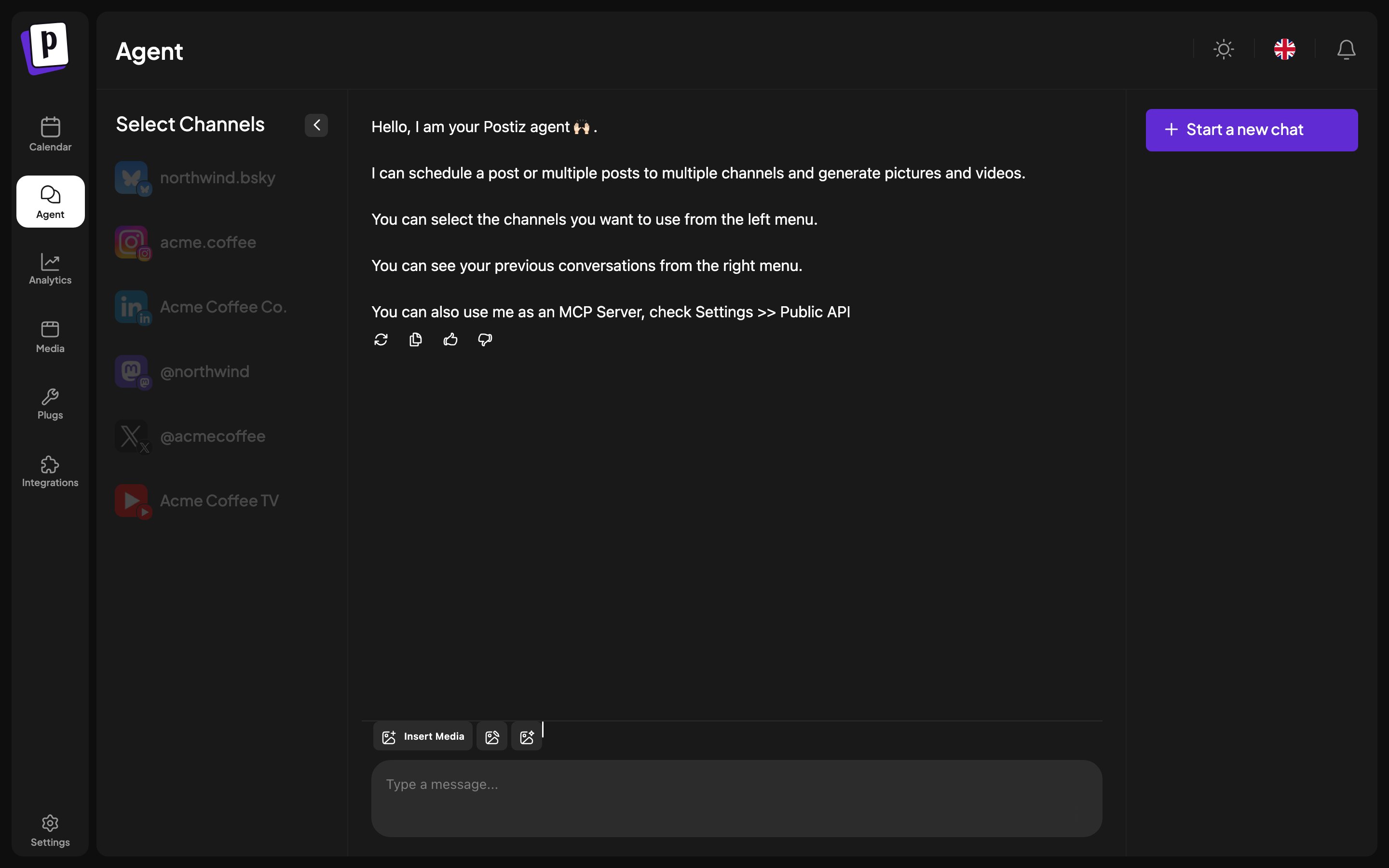
The layout
- Left: which channels the agent may act on.
- Centre: the conversation.
- Right: your previous conversations, plus Start a new chat.
What it can do
- Schedule a post to one channel or several.
- Generate images and video for a post.
- Turn a long YouTube video into captioned vertical clips and draft them for your channels, see Video clipping.
- Open the composer prefilled, so you can review and adjust before saving.
Working with it
Select the channels first. The agent acts on what is selected, so a narrow selection is a useful guardrail while you are learning what it does. Ask it to draft rather than publish while you are getting a feel for it. A draft lands on the calendar where you can inspect it, and nothing reaches an audience until you promote it. Conversations are kept, so you can return to one and continue rather than re-explaining context.What it cannot do
- Read or reply to comments on your posts.
- Connect a channel for you.
- Change billing or settings.